Skip to content
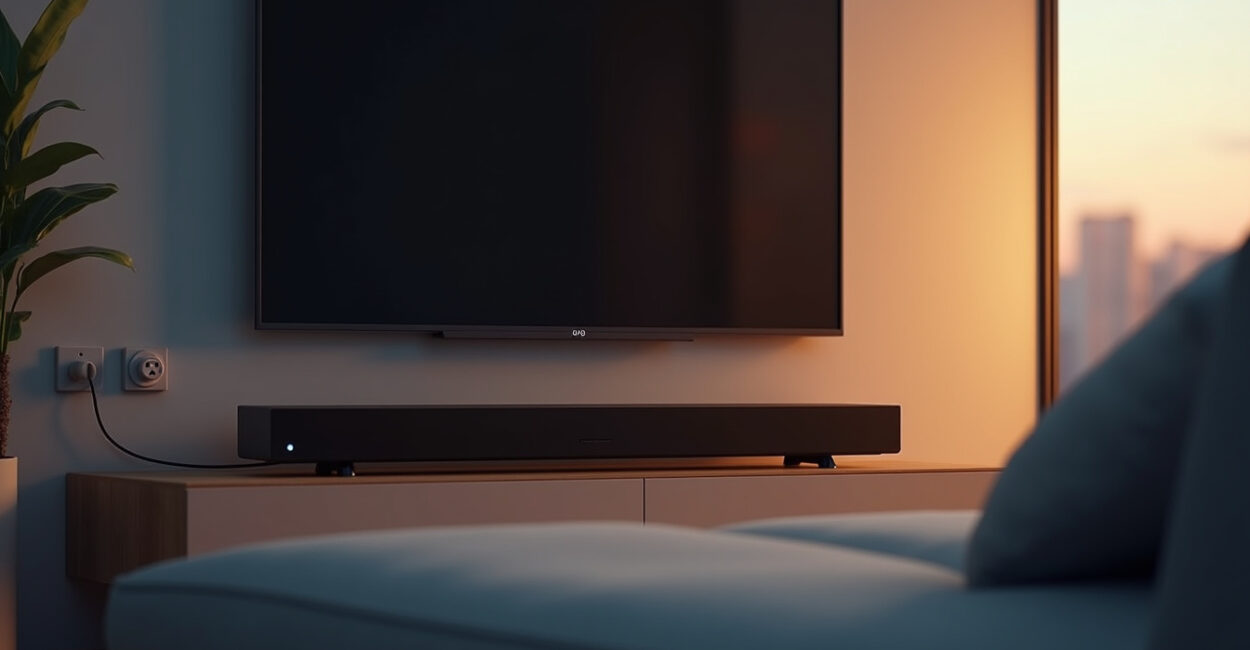
Smart plugs for home entertainment systems can save real energy—or almost none at all—depending on one setting most people never check.
That’s the part that trips people up. A TV in standby, a game console in “rest mode,” and a soundbar waiting for HDMI-CEC signals don’t behave the same way, so one smart plug setup can help while another just cuts power to something that needed a gentle standby state.
In practice, the difference comes down to whether you’re managing phantom load, preserving convenience, or both. Get those settings right and the savings are real. Get them wrong and you’ll just create more annoyance than value.
Why Standby is Not One Thing
Standby sounds simple, but it isn’t. With smart plugs for home entertainment systems, you’re dealing with devices that keep different parts of themselves awake for different reasons.
A TV may keep a network card listening for wake commands. A console may download updates overnight. A soundbar may stay ready for HDMI-ARC or an optical input wake signal. If you cut power too aggressively, you don’t just save energy—you may also break the behavior you actually wanted.
The technical term here is phantom load, the small amount of electricity a device draws while “off.” The practical version is simpler: if the device shows a standby light, it may still be using power. The question is whether that power is tiny, moderate, or large enough to matter on your bill.
The Setting That Decides Whether Savings Are Real
The biggest mistake is treating every outlet the same. With smart plugs for home entertainment systems, the key setting is often scheduling or automation, not the plug itself.
If you hard-cut power every night, you may save a little more. But if that shutdown forces a TV to rebuild settings, a console to re-sync storage, or a soundbar to lose instant wake behavior, the “savings” can turn into friction. And friction is what makes people disable the smart plug after a week.
The best setup usually isn’t the most aggressive one. It’s the one that shuts down gear only when you know you won’t use it for hours, not minutes.
- Use schedules if your routine is predictable.
- Use scenes or automations if you want one button to kill the whole stack.
- Avoid turning off devices mid-update unless you know exactly what they’re doing.

TVs, Consoles, and Soundbars Behave Differently
This is where most people get surprised. A TV is usually the easiest win. A console is the trickiest. A soundbar sits somewhere in the middle.
On many TVs, standby power is low enough that you won’t feel dramatic savings from a smart plug unless the TV is on an old platform or has a noisy always-on feature. Consoles are different. Some modes are built for downloads, quick resume, and wake-from-controller behavior, which means “off” is not truly off. Soundbars can be even more sensitive because they often depend on the TV for wake signals.
If you want a trustworthy reference on why standby matters at all, the U.S. Department of Energy’s guidance on electronics use is a useful starting point.
A Small Home Theater Change That Can Backfire
Here’s the part that sounds good on paper and goes sideways in real life: one smart plug for the entire entertainment center.
Picture this. You leave the house after movie night, decide to “save energy,” and put the whole setup on a smart plug. The next morning, your console missed an update window, your soundbar takes longer to wake, and your TV forgets the neat little handshake that made everything one-touch simple. You saved a few watts, then spent the next three days annoyed.
That’s why smart plugs for home entertainment systems work best when you think in layers, not in absolutes.
- Put the TV on a smart plug only if its standby features are not important to you.
- Keep the console plugged in if you rely on overnight downloads or quick resume.
- Consider the soundbar separately, especially if HDMI-CEC behavior is flaky.
What to Check Before You Automate Anything
Before you create a schedule, check three things: wake behavior, update behavior, and input recovery. Those are the settings that matter most with smart plugs for home entertainment systems.
Wake behavior tells you whether the device needs standby power to respond to remotes or voice commands. Update behavior tells you whether it runs software tasks overnight. Input recovery tells you whether it remembers the right HDMI port after power is cut. If you’ve ever turned everything back on and had to fish through menus for five minutes, you already know why this matters.
There’s also a money angle. According to ENERGY STAR’s electronics guidance, standby use can add up across many devices, but the exact savings depend on what you own and how often you use it. That’s why one-size-fits-all advice is weak here.
When a Smart Plug is Worth It—and When It Isn’t
Use a smart plug when your entertainment gear sits idle for long stretches, your routine is predictable, and you don’t mind rebuilding a little convenience. Skip it when your setup depends on always-on network features, overnight downloads, or instant wake behavior you use every day.
In other words: if the plug removes waste without creating rituals, it’s a win. If it turns your living room into a daily restart experiment, it’s not.
The middle ground is the smartest place to live. Smart plugs for home entertainment systems are not about making everything “off.” They’re about deciding which kind of standby is worth paying for.
The Simplest Way to Test Your Own Setup
Start with one device, not the whole stack. Try the TV for a few nights, then the soundbar, then the console only if you know you won’t need overnight updates. That way you can see what changes in your routine before you commit to a full automation.
The best test is boring: does the room still feel effortless tomorrow? If the answer is yes, your settings are doing their job. If the answer is no, you’ve found the line where savings stop being real and start being annoying.
The goal is not to make your entertainment system harder to use. It is to make wasted power disappear without you noticing.
FAQ
Do Smart Plugs Really Save Much Energy on Entertainment Systems?
Sometimes yes, sometimes barely. The savings depend on how much power each device uses in standby and how often it sits idle. TVs often draw less than people expect, while consoles and some soundbars can draw more. The real value comes from matching the plug’s behavior to the device’s standby mode instead of assuming every “off” state is equal.
Should I Put My Game Console on a Smart Plug?
Only if you are comfortable losing overnight downloads, quick wake features, or automatic background tasks. Consoles often use standby for more than one purpose, so a smart plug can save power but also interrupt convenience. If you use the console daily, a schedule may be better than cutting power every night.
Will a Smart Plug Damage My TV or Soundbar?
Usually not, but abrupt power cuts can confuse some devices or disrupt firmware updates. That’s why it’s better to avoid switching power off while the device is active or updating. The issue is rarely physical damage; it is more often lost settings, slower wake behavior, or features that stop working the way you expected.
What Settings Matter Most When Using Smart Plugs for Home Entertainment Systems?
The biggest ones are schedules, automation rules, and whether the device is allowed to stay in standby for wake signals. You also want to check HDMI-CEC, network wake, and update behavior. Those settings decide whether the plug is a helpful energy tool or just an extra switch that makes your setup less convenient.
Is It Better to Shut Off the Whole Entertainment Center at Once?
Not always. A full shutdown can be efficient, but it can also break the features that make your system easy to live with. A better approach is to test each device separately and keep the ones that need background standby power online. That balance usually delivers the best mix of savings and usability.